A scope free of defect.
The problem is not pay for work you didn’t do. It is no pay for work you did and could not defend.
Seven days. The first thing you see is a completed loss.
Mitigation for the following perils.
-
Water
Category and class come from the readings. Drying is scoped to the standard.
-
Fire
Smoke and soot cleaning, scoped once release for entry is on record.
-
Mold
Remediation scoped and cited to the IICRC mold standard, S520.
-
Wind & Hail
Board-up, tarping and protective work for wind and hail damage.
-
Asbestos
Built before 1981 with no survey? A survey line, then a stop. Nothing disturbed blind.
Mitigation only. The engine does not scope build-back.
Build. Link. Send. Rebut.
40 Patents Pending.
The screens shown are from the next Scope Engine release.
- 1 Build
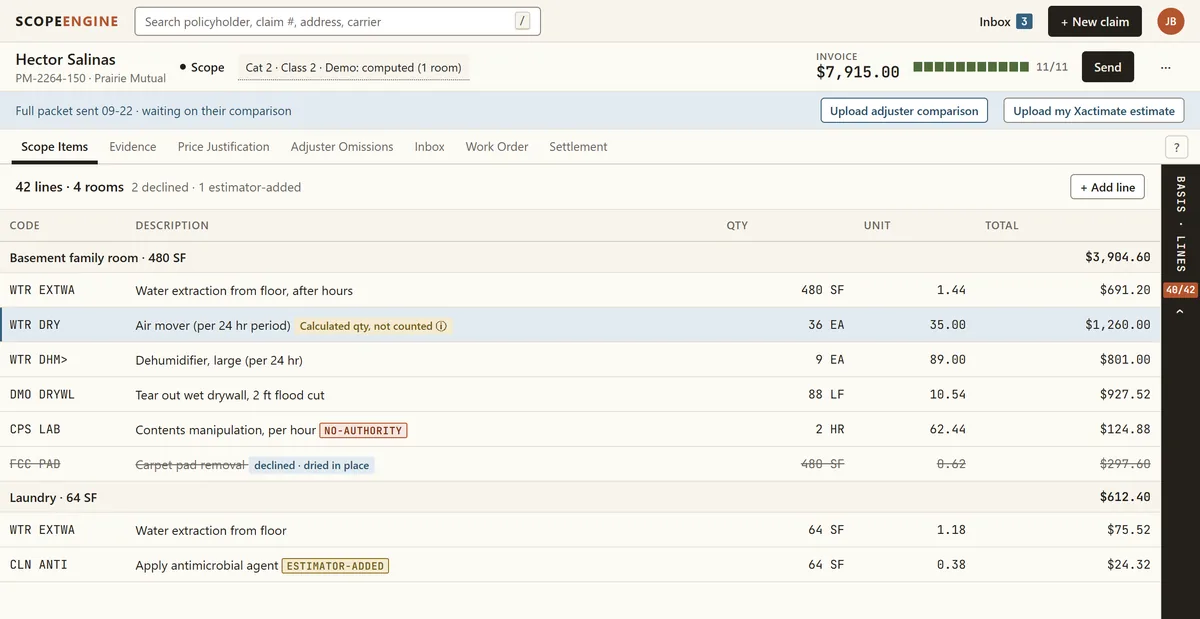
Your tech records what they saw and measured, room by room. Observations, never conclusions. The scope builds itself from what is on file, grouped by room and priced line by line.
- 2 Link
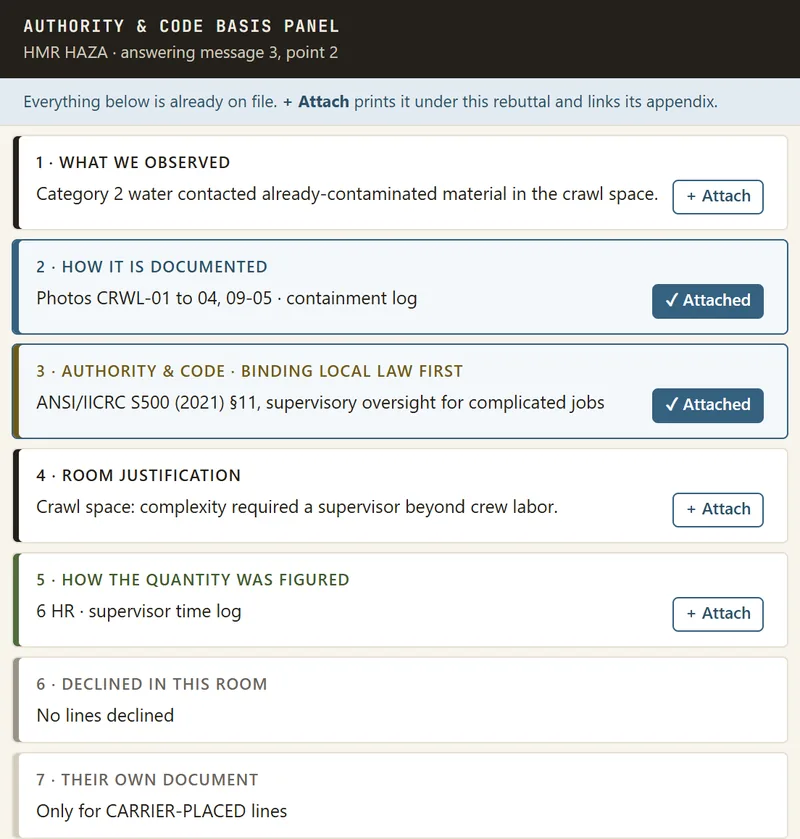
Every line is tied to the fact, the proof on file, the published standard and the priced code. The Authority & Code Basis Panel lays that proof out in order, ready to attach. A line missing a link is stamped NO AUTHORITY on its face.
- 3 Send
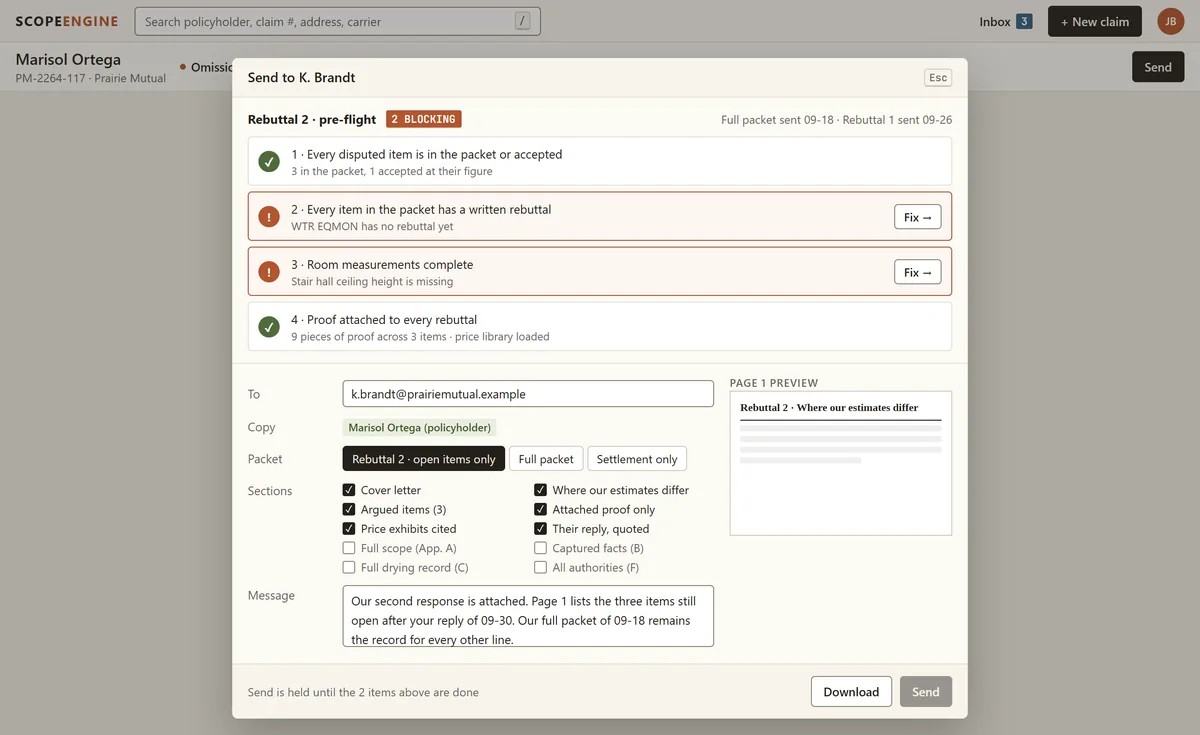
The Scope, The Defense and The Work Order go out as one packet, with the Authority Basis before any dollar. Send checks the packet first and holds it until every item is ready.
- 4 Rebut
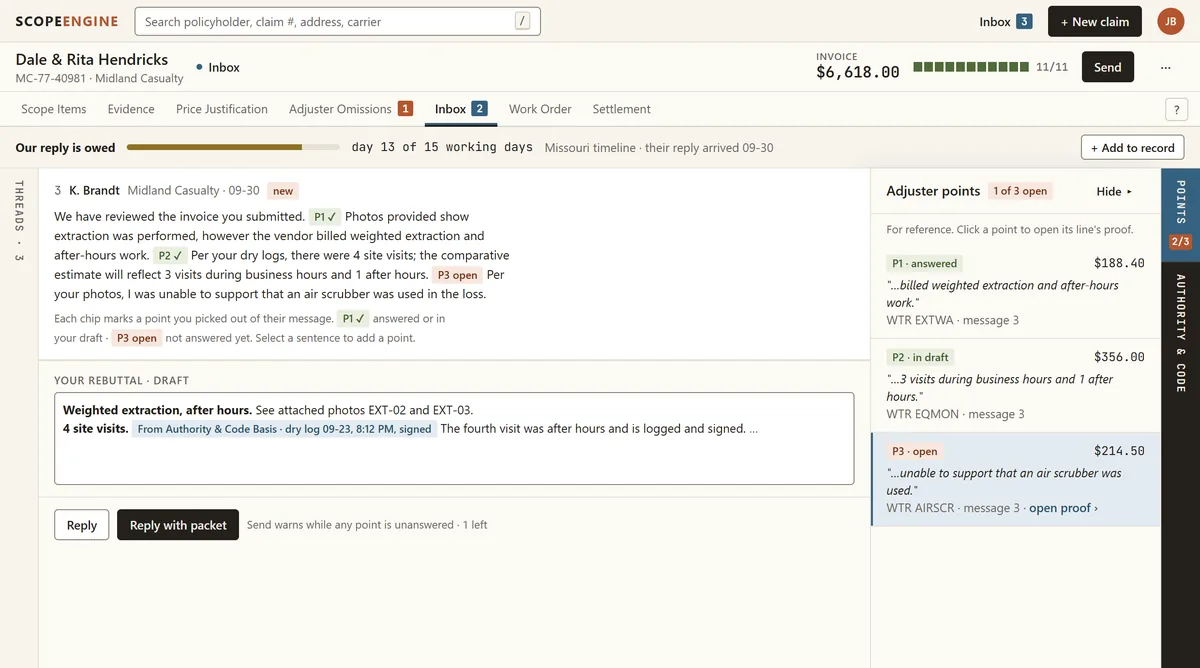
One inbox for every dispute. Each line of your scope sits against the adjuster’s estimate, sorted by the money at stake. Answer each point they make with proof already on file, concede it, or mark it a scope match, then reply with your updated packet.
Authority built in. Scopes arrive defended.
Every line carries the standard that requires the work: IICRC S500, S520 and S700, OSHA, EPA, the building code, and Kansas and Missouri law where a city adopted it. To cut a line, the adjuster has to argue with the evidence.
A built-in inbox to rebut adjusters head to head, without UPPA violations.
Upload the carrier estimate and answer it line by line: adopt, accept or rebut. Every rebuttal states the condition, the authority and the evidence, and never interprets coverage, so you stay clear of unauthorized public adjusting.
Bonus Features
Xactimate drag and drop
Drop in the carrier’s Xactimate estimate and it is read line by line.
Plumb Bob, your AI agent Coming: Next Release
An AI coach that knows your files and the standards behind them.
Compounding knowledge and memory
Every claim you submit teaches the next. See the patterns, destroy the attacks, go on offense.
Adjuster push-back templates
Answers to the cuts you see every week, ready to send.
Mature customer onboarding
Set up with your rates and your team, and a finished sample loss to read on day one.
Want it done for you?
Talk to sales about a complete outsourced package, sized to where your business is going.
Talk to salesWork out what chasing claims costs you See the two real files